
NewsPCGTA 5Rockstar GamesPlayGTA5
GTA 5 in a browser? Let me clear things up
An unofficial GTA V build promises Los Santos in a browser tab. I looked into the project, what is known about playing it, and where I would be cautious.
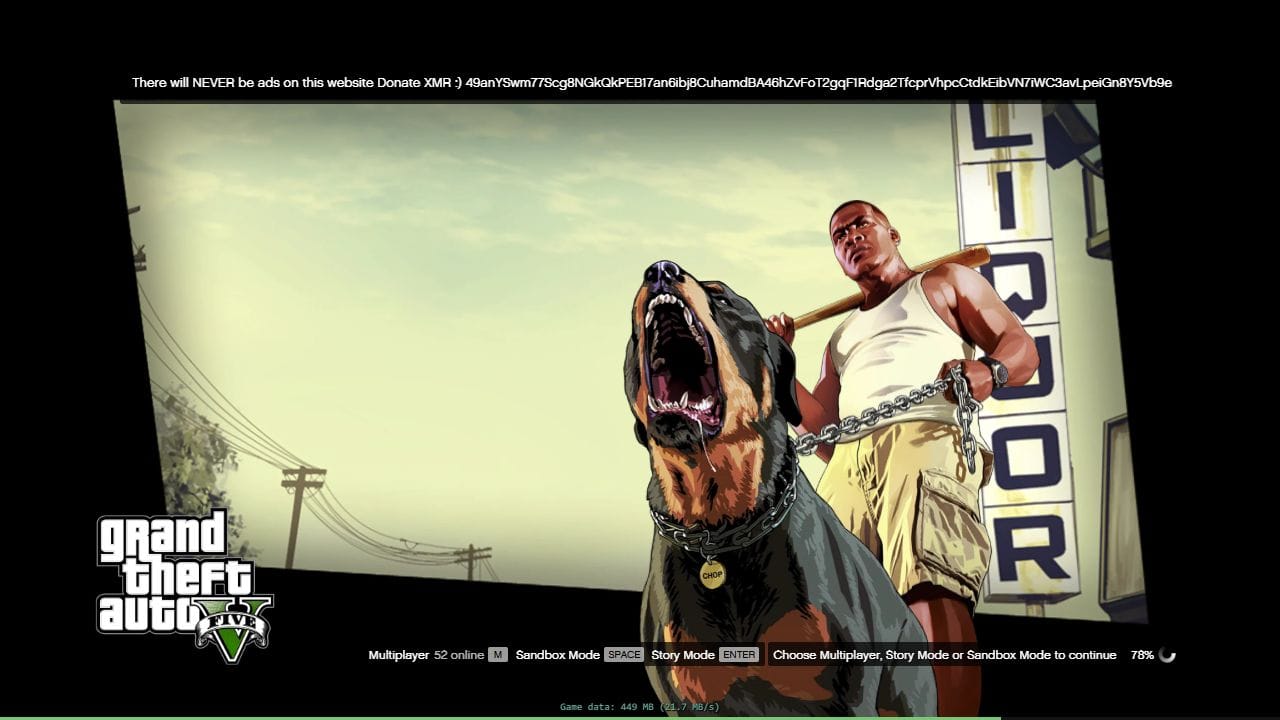
Reports of a project called PlayGTA5 have described GTA V running in a browser. In October, Tom’s Hardware reported on the unofficial build after clips showing it in action circulated online. The site stopped working within hours of the publicity, although the report did not establish why it went offline.
There have since been reports of its return in November. Still, I want to distinguish the existence of the project from a promise that it delivers the full game experience.
The loading screen offers Story Mode, Sandbox Mode and multiplayer. I have not verified whether every mission can be completed, progress can be saved reliably, or players can connect to the official GTA Online.
I have not played the game through the site. The page check for this article reached the loading screen shown here, so this is not a performance review or a recommendation based on hands-on play. This is also not a browser edition released by Rockstar, and it should not be treated as an official GTA V giveaway.

Los Santos in an official GTA V Enhanced image, not a capture from the browser build. Credit: Rockstar Games, via Steam.
“No installation” does not mean no data downloads. The browser still needs to load the files required by the game, which can consume internet bandwidth and memory on your computer.
I did not find verified system requirements to rely on. I would not promise that the project works on a low-end computer simply because it opens in a browser. The total download size and the ability to retain progress also remain open questions for me.
You can search Google for PlayGTA5 alongside GTA V browser. I have chosen not to include a direct link because I cannot verify what information the site collects, where it is sent or how it is stored. That is not an allegation that the site steals information; it is why I cannot confidently recommend it.
A warning if you choose to try playing: Do not give the site passwords, payment details or personal information. Do not install extensions, executable files or security certificates, and do not disable browser or computer protections to get the game working. If you are asked to do any of those things, stop and close the page. Search results may also lead to similarly named sites whose trustworthiness I cannot confirm.



Comments